your iPad POS Experts
Author Archive
Page 1 of 4

Heckler Design: WindFall Stand Tall for iPad Air & iPad Pro 9.7″
The Heckler Design: WindFall Stand Tall for iPad Air & iPad Pro 9.7″ Just arrived in Singapore! In Stock now! Designed with high-volume checkouts and future payment technologies...
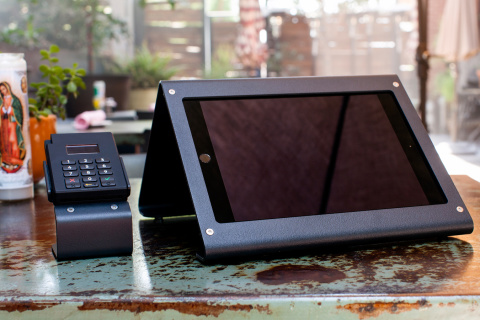
New Heckler WindFall Duo. Now available in Singapore.
To buy: http://orderpaper.sg/products/windfall-duo-for-ipad-air-ipad-mini With a WindFall Duo, your checkout hardware now rests directly between you and your customer – transforming checkout into an enjoyable, shared experience. With an...
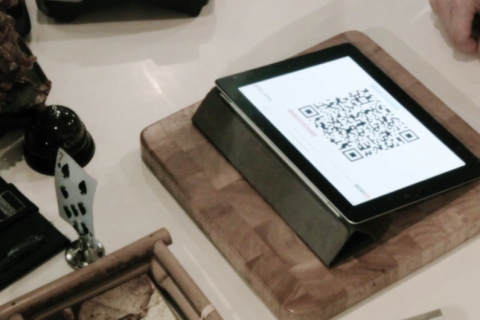
Press Release: Coin Of Sale and Kidotech Bring Bitcoin Payments to iPad POS Systems in Singapore
Kido Technologies, iPad POS experts, is partnering with Bitcoin POS payment processor Coin Of Sale to bring seamless Bitcoin payments to iPad POS systems they distribute in Singapore....
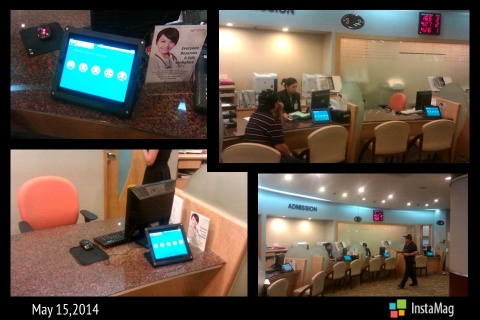
Simple way to gather customer feedback over the counter. Do it like Gleneagles Hospital.
iPad/ Tablets are a great way to gather customer feedback. The Heckler Windfall stands can be secured easily, swivel between staff and customer. iPad touchscreen allows switching to your customer’s...
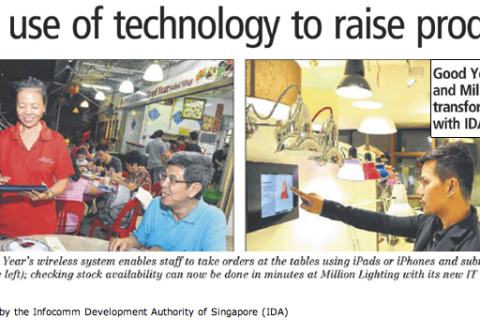
No more running around at Good Year Seafood Village
Located along a laid-back stretch of Tampines Avenue, Good Year Seafood Village becomes a bustling hive of activity during meal times, especially on weekends when the crowds descend...
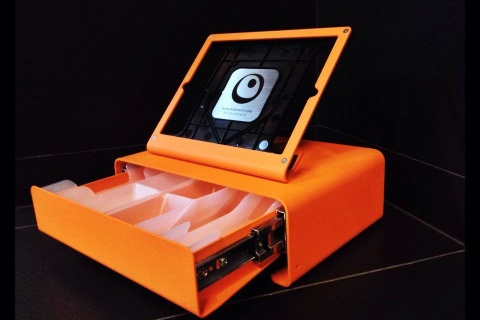
Updated: Heckler Windfall POS Stand: Your secure iPad stand for POS
Our new shipment of Heckler Windfall iPad POS Stands have arrived in Singapore! Windfall Box Set is now available in Singapore. Limited quantities are available! Our POS customers do enjoy...
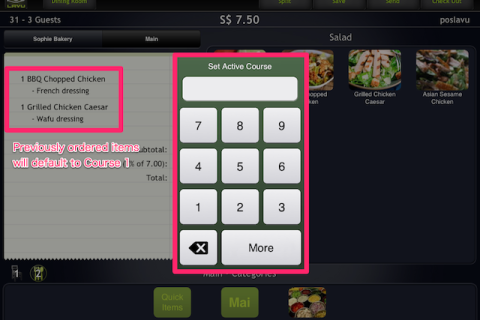
Lavu Tutorials: How to use Seat Numbers and Course Number (Taking orders)
Course and Seat number are useful for restaurant who want/ need to have a well-defined meal sequence. Seat refers to the seat number of the guest on the...

Lavu Customers: Plain Vanilla Bakery (Holland Village)
The most intuitive, state of the art, iPad-based Wireless Point of Sales system can be found at these great businesses. Plain Vanilla Bakery @ Holland Village Cupcakes galore, too...

The Wallee Kick & Pivot iPad stands are now available in Singapore
The Wallee case for iPad 3 is a seamless, lightly-rubberised & precision moulded protective case that is compatible with a growing range of modular accessories, each of which...
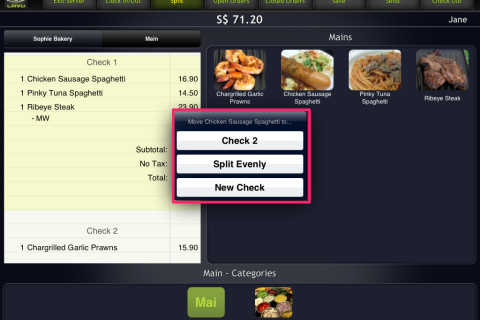
Lavu Tutorial: How do i split/ un-split into separate checks?
Split an order into separate checks to allow customers who want to pay separately. Lavu supports splitting into separate checks (equally in x checks), items splits (different checks...